
Serveex
Introduction
Introduction to Serveex, a personal homelab project to self-host everyday services using Debian and Docker, replacing cloud services as Google, Apple or Netflix.
A Home Lab by a Beginner, for Beginners
Serveex is primarily a personal project aimed at hosting as many everyday services as possible at home, without relying on proprietary platforms (Google, Apple, Netflix, etc.). The goal was to experiment, learn, and document every step along the way. This is purely a scientific project and is not intended for production use.
A big thanks to Nipah for sharing his infinite knowledge and, above all, for his patience.
📋 Prerequisites:
- Have an online VPS or a local machine: ideally a mini PC (you can find N100 models for around €100), but it also works on a laptop or a virtual machine. The Freebox Delta/Ultra offer virtual machines.
- Know how to configure NAT rules on a router and assign DHCP leases
- Know how to configure the DNS zone of a domain name
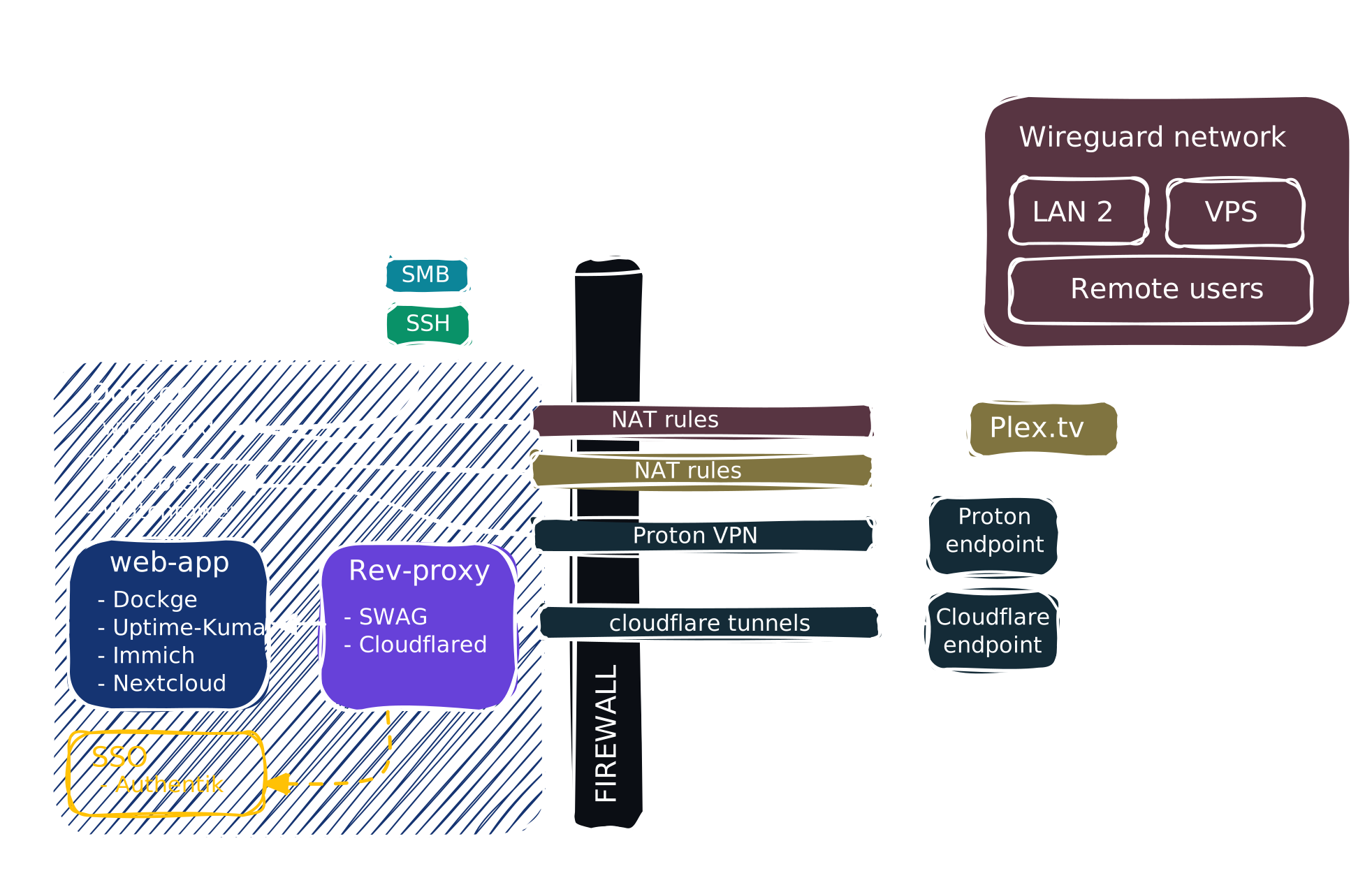
The goal is to be easily deployable and easy to migrate, so here is its structure:
The Core of the Server
Security
Monitoring
Media
Cloud Drive & Photos
Files & Sharing
Development Tools
Useful Applications
::
Advanced
Coming Soon
- Homepage, to have all your services at a glance and access them easily
- Zensical, how to write and organize your own documentation